
Midjourney V8.2 Prompts: Parameters and 8 Examples
Explore eight Midjourney V8.2 prompt examples for portraits, products and concept art. Learn composition, Raw, aspect ratios and style references, with guidance for choosing available settings.
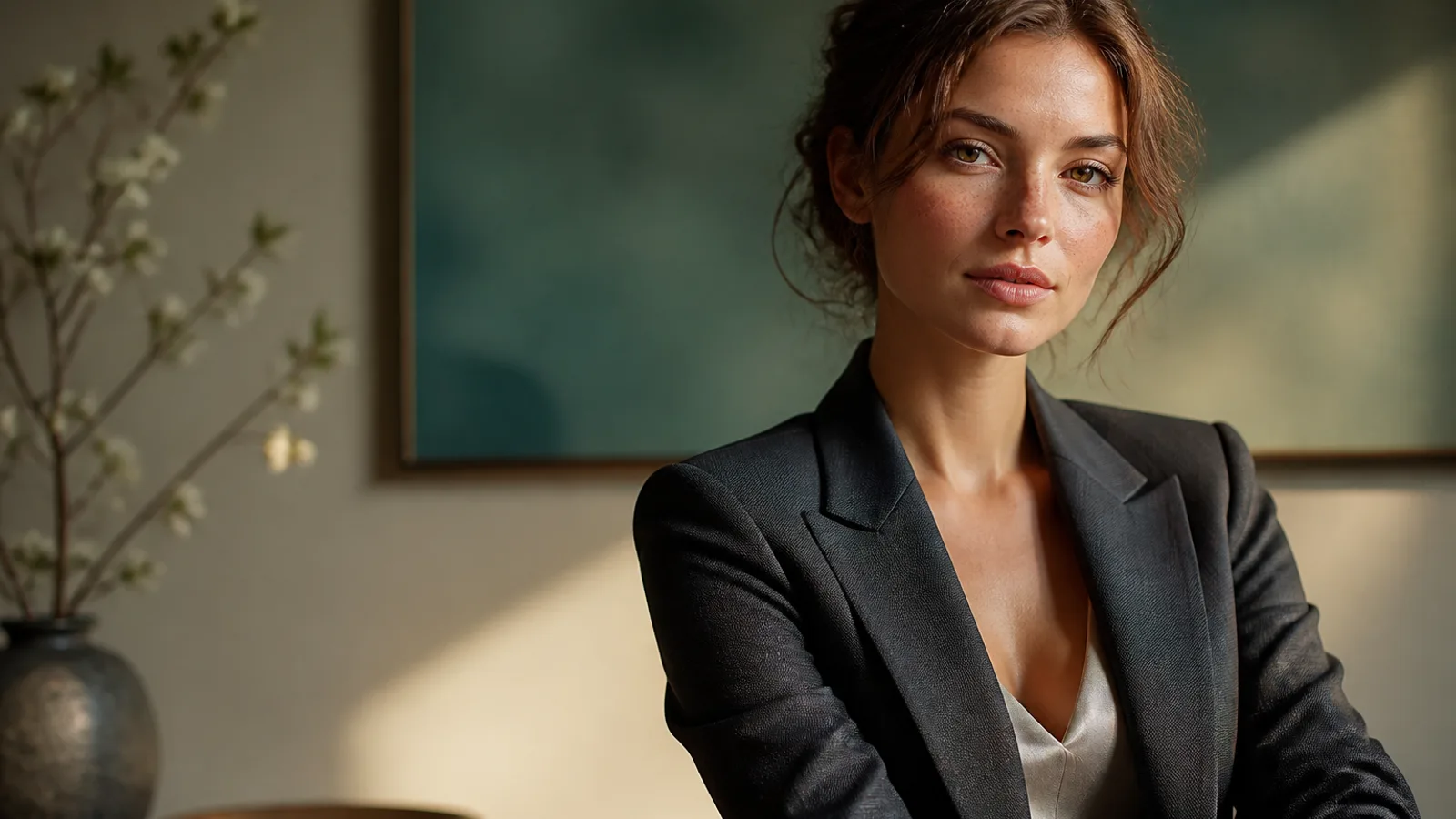
Midjourney V8.2 prompts connect a subject with a visual direction: medium, setting, light, palette and composition. Start with an image you can describe and inspect, then vary one important choice at a time. The eight examples below are original input ideas, not verified output comparisons.
Describe the scene before adding settings
A useful order is subject and action, medium, setting, light, materials and framing. Specify priorities when instructions conflict. Use a language you can express precisely; photography terms are optional descriptions, not a promise of physical camera properties.
For example: a ceramic teapot on a dark wooden table, soft side light, visible glaze texture, product on the left with open space on the right, editorial still-life photograph.
What the official parameters mean
| Setting | Purpose | What to check |
|---|---|---|
| Aspect ratio, —ar | Changes frame proportions | Select an available ratio in the creation interface |
| Raw, —raw | Reduces Midjourney’s automatic styling | Inspect how it changes this particular prompt |
| Style Reference, —sref | Uses a reference for visual style | It is not a guarantee of the same person or object |
These describe Midjourney’s official controls. Do not assume every command can be pasted into this site’s prompt box. Use the controls currently provided; write unsupported visual goals in plain language. Resolution and credit estimates should be reviewed separately before submission.
Eight examples to adapt
The following examples contain scene descriptions. Choose supported settings separately rather than copying another service’s command syntax.
Example 1. Portrait with locked light
Use for: brand profile and social identity shots.
Prompt: Half-body portrait of a adult woman with natural freckles and visible pores, soft daylight from a large window on the left, gentle shadow under the jaw, off-white wall, face slightly right of center, 85mm lens, f/2.0 shallow depth of field, both ears visible, natural skin texture
Rewrite tip: Change age/hair first; keep light + --raw for one full round.
Example 2. Product still with headline room
Use for: ecommerce heroes and ad drafts with right-side layout space.
Prompt: Minimal product still life of a matte white skincare bottle on beige seamless backdrop, softbox key from upper left, gentle bounce fill, crisp bottle silhouette, generous negative space on the right for headline layout, commercial photography
Rewrite tip: Swap bottle color/material only until negative space is stable. Keep any on-bottle words short—or add type later.
Example 3. Fashion editorial locked with Style Reference
Use for: series KVs that must share one look across outfits.
Prompt: Editorial fashion portrait of a woman in a tailored black blazer, cinematic rim light from behind, cool teal fill from the front, sharp catchlights, subtle film grain, medium close-up on 50mm, realistic wool fabric texture
Rewrite tip: After --sref is fixed, change only wardrobe or hair color—not light and reference together.
Example 4. Bold sci-fi concept (lean into V8.2 default edge)
Use for: early concept exploration that benefits from V8.2’s bolder taste.
Prompt: Futuristic canyon city at dusk, neon light strips along cliff roads, volumetric haze, cinematic wide shot, sophisticated sci-fi atmosphere, bold color contrast between amber sky and cyan streets, ultra-detailed architecture silhouettes
Rewrite tip: Raise --chaos while exploring; lower it once direction locks, then consider --raw for structure.
Example 5. Lifestyle interior scene
Use for: home and lifestyle ads that should feel photographed.
Prompt: Woman reading by a large window in a quiet apartment, soft morning side light, linen curtains, light oak table, shallow depth of field, calm lifestyle photography, natural color grading, 35mm documentary feel, realistic interior materials
Rewrite tip: Name two checkable materials (linen, oak) instead of vague “cozy.”
Example 6. Brand-safe avatar crop
Use for: team pages, resumes, profile drafts.
Prompt: Professional head-and-shoulders portrait of a woman, clean light-gray seamless background, even soft studio light, confident calm expression, centered face with safe crop for circular avatar, natural skin texture, business-casual knit top
Rewrite tip: Draft in Midjourney, then finish in the AI Headshot Generator when needed.
Example 7. Vertical poster with headline room
Use for: event or launch visuals; keep in-image text short or composite later.
Prompt: Vertical poster composition of a confident woman on a golden-hour city street, warm backlight, shallow depth of field, clean upper-third negative space reserved for a short headline, high contrast photographic look
Rewrite tip: Prefer reserved space + design type for long copy; short phrases only for in-image experiments.
Example 8. Neon night portrait with real skin
Use for: music covers and nightlife visuals.
Prompt: Night portrait of a woman under cyan and magenta neon signs, wet street reflections, shallow depth of field, cinematic contrast, rain-damp hair strands, realistic skin under colored light, 50mm lens, moody urban atmosphere
Rewrite tip: Swap neon colors for brand accents; keep realistic skin under colored light every round.
Use references with a clear role
Explain whether a reference supplies style, subject or layout. A style reference can guide visual treatment without reproducing identity. Inspect faces, hands, structure, lettering and crop after each generation. For an existing image, use the AI Photo Editor and describe preservation requirements and changes.
Frequently asked questions
Is English required?
Use a language you can express clearly. Do not assume English terms always improve output.
Will the same prompt reproduce an identical image?
Do not rely on exact repetition. Keep the settings and reference material with the selected result for comparison.
Does a style reference preserve a character?
Style and identity are different goals. Inspect character features rather than treating a style control as an identity guarantee.
Does HD guarantee a finished image?
Resolution does not guarantee correct anatomy, text or composition. Inspect the downloaded file and important details.
Can I paste every official parameter here?
Use the current interface’s supported settings. Official syntax is not proof that a site supports a command.
Continue creating
Explore Midjourney V8.2 or open the AI Image Generator. Adapt one example and review the available model, settings and estimated credits. See the AI art workflow for selection and delivery.