bikabika AI
AI Background Remover example: person cut out on a transparent checkerboard with clean hair edges

bikabika AI

AI Background Remover

Upload a photo to remove the background in one click—export transparent PNGs or white ecommerce backgrounds, with hair-edge detail and background replace. Ideal for product heroes, portraits, listings, and design composites.

  • One-click remove
  • Transparent PNG
  • Hair-edge detail
  • Popular models in one place

📖 Intro

What is an AI Background Remover?

An AI Background Remover works on photos you already have. Upload an original, and the model isolates the subject, removes the background, and can export a transparent PNG, a clean white backdrop, or a replaced scene—so product shots, portraits, and assets move into design and listing workflows faster.

Unlike text-to-image generation, background removal prioritizes keeping the real subject. The goal is usable cutouts without rewriting identity or product appearance—great for ecommerce heroes, ID/profile photos, poster composites, and social covers.

On bikabika AI, we gather mainstream model entry points such as Midjourney, GPT Image 2, and Nano Banana so you can pick by cutout, white-BG, or scene-replace tasks and jump into an online workflow.

💡 Why us

Why creatives choose bikabika AI Background Remover

Most tools promise a one-tap “clean cutout.” What matters for delivery is whether edges hold up, subjects stay complete, and white-BG / replace workflows stay fast. bikabika AI aggregates leading models and high-frequency remove-BG paths in one place.

Designer checking clean product cutout edges on a large monitor

Edges that hold up in real delivery

Optimize edge readability for heroes, catalogs, and posters—so results work beyond a tiny thumbnail preview.

Portrait cutout comparison keeping facial features and hair strands intact

Keep the subject, protect identity

Prioritize facial features, product silhouette, and material detail—reduce accidental deletion of accessories, logos, or key outlines.

Creator batch-removing product photo backgrounds on a laptop

Faster from upload to usable asset

Phone snaps, studio shots, and event captures can clear a remove-BG pass quickly—shorten the wait from “have a photo” to “ready to composite or list.”

Same screen comparing multiple AI cutout and background-replace results

Multi-model entry points by task

Aggregate Midjourney, GPT Image, Nano Banana, and more—switch by hair-edge portraits, product white BG, or scene replace instead of one locked look.

✨ Features

AI Background Remover core features

Covers high-frequency jobs—auto cutout, transparent export, hair edges, white ecommerce backgrounds, background replace, and batch assist—so you move from original to reusable assets more smoothly.

One-click Auto Cutout

01

One-click Auto Cutout

Automatically detect people, products, and objects, then remove busy backgrounds—less manual brushing and selection work.

Transparent PNG export

02

Transparent PNG export

Export Alpha-channel transparent assets ready to drop onto posters, detail pages, and brand templates.

Hair & fur edge detail

03

Hair & fur edge detail

Preserve fine hair, fluff, and semi-transparent edges—reduce hard cuts and jagged fringing on portraits and pets.

Ecommerce white background

04

Ecommerce white background

Generate clean white or soft studio backdrops that fit common marketplace hero and catalog requirements.

Background Replace

05

Background Replace

After cutout, swap in studio, lifestyle, or brand-mood scenes to shorten composite and revision cycles.

Batch & multi-subject assist

06

Batch & multi-subject assist

Helpful for listing batches and multi-SKU shoots—keep cutout standards consistent and cut per-image manual cost.

🧭 How-to

How to use an AI Background Remover

Four steps from original photo to a clean cutout asset.

  1. EP.01

    Upload the photo to cut out

    Works for portraits, products, pets, and still life. Prefer complete subjects, clear contrast, and lightly compressed originals.

  2. EP.02

    Choose the output goal

    Decide transparent PNG, ecommerce white BG, or a new scene first—avoid stacking conflicting composite goals in one pass.

  3. EP.03

    Generate and inspect edges

    Compare candidates with focus on hair, fur, semi-transparent edges, and small accessories.

  4. EP.04

    Export for listings or design

    Once the subject is complete, export PNG/white-BG and place into detail pages, posters, or a background-replace composite.

🖼 Cases

AI Background Remover featured cases

Browse product white BG, portrait cutouts, pet fur, fashion catalogs, and background replace directions.

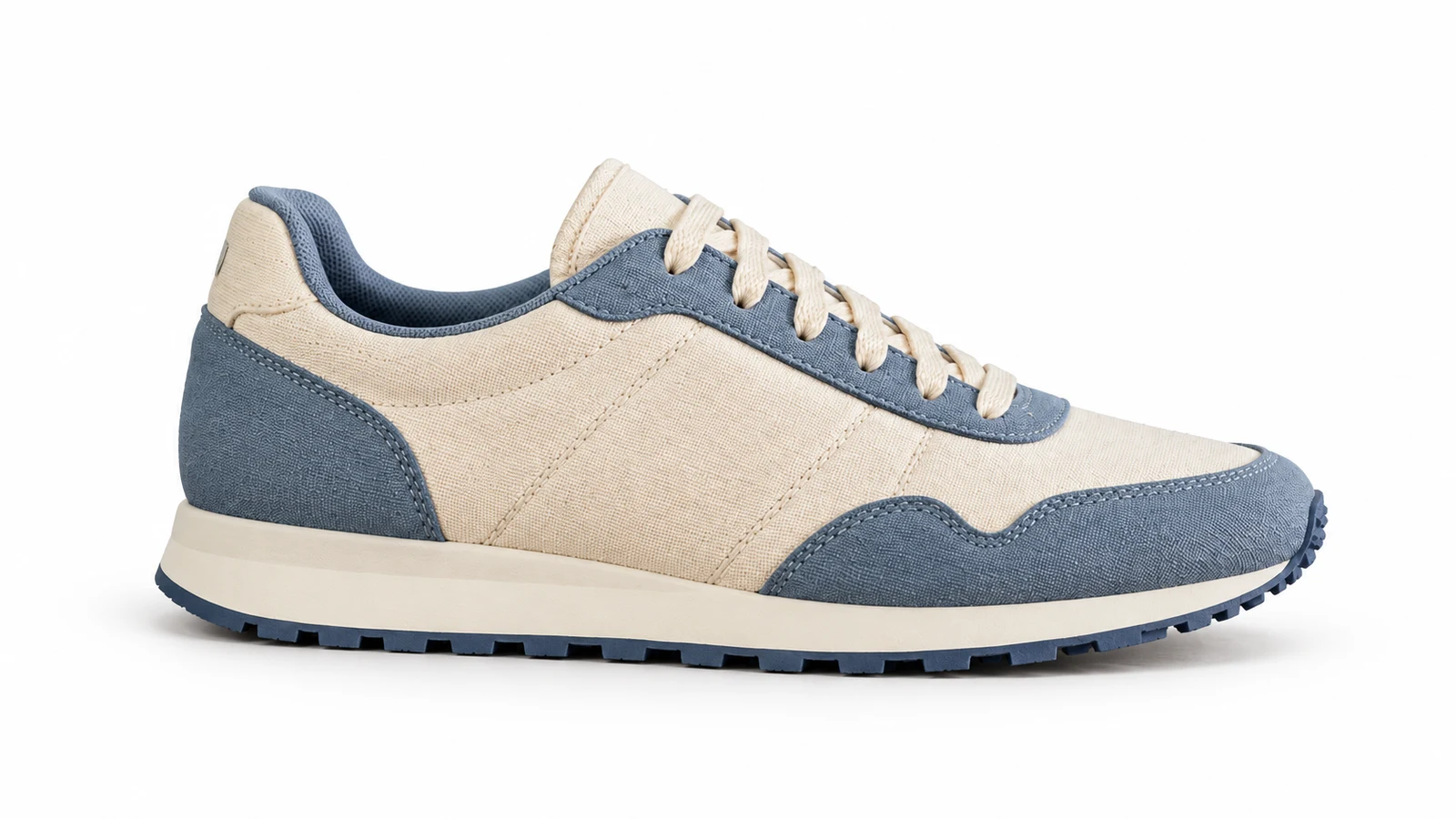
AI background remover example: ecommerce sneaker cut out on transparent checkerboard
AI background remover example: portrait subject isolated with clean hair-edge cutout
AI background remover example: pet with fine fur detail preserved after background removal
AI background remover example: fashion model cutout ready for catalog layout
AI background remover example: plated food dish on transparent background for menu design
AI background remover example: jewelry product with crisp edges on white studio background
AI background remover example: chair product cutout for furniture listing page
AI background remover example: car isolated from busy street for automotive catalog
AI background remover example: household product object cutout with soft shadow
AI background remover example: apparel item on seamless white background for ecommerce
AI background remover example: portrait placed on a new studio backdrop after cutout
AI background remover example: transparent PNG cutout over checkerboard for design reuse
AI background remover example: ecommerce sneaker cut out on transparent checkerboard
AI background remover example: portrait subject isolated with clean hair-edge cutout
AI background remover example: pet with fine fur detail preserved after background removal
AI background remover example: fashion model cutout ready for catalog layout
AI background remover example: plated food dish on transparent background for menu design
AI background remover example: jewelry product with crisp edges on white studio background
AI background remover example: chair product cutout for furniture listing page
AI background remover example: car isolated from busy street for automotive catalog
AI background remover example: household product object cutout with soft shadow
AI background remover example: apparel item on seamless white background for ecommerce
AI background remover example: portrait placed on a new studio backdrop after cutout
AI background remover example: transparent PNG cutout over checkerboard for design reuse
  • Ecommerce white BG & catalog

    Clear cluttered shelf or desk scenes into white backgrounds so product edges look sharper and listing polish cycles shrink.

  • Portrait & profile cutouts

    Keep hair strands and silhouettes for transparent or solid backdrops—ideal for avatars, badges, and campaign creatives.

  • Creative background replace

    Cut out first, then swap studio or lifestyle scenes to refresh posters, covers, and event visuals quickly.

👥 Audiences

Who is an AI Background Remover for?

From ecommerce listings and design composites to social ops and everyday ID-style photos—match your role.

Ecommerce operator reviewing white-background product cutouts on screen

Listing Ready

Ecommerce & product visuals

Listing heroes need clean white BG and crisp outlines.

Product photos are often limited by the shoot space. Remove the background, then unify white BG and shadow style to lift CTR and cut rework.

  • White-BG listing specs
  • Cleaner edges
  • Faster launch polish
Designer placing a transparent product cutout into a layout

Design Ready

Designers & visual teams

Spend time on layout and ideas—not manual brushing.

Posters, PDPs, and brand kits need reusable transparent subjects. AI remove-BG quickly yields Alpha-ready assets for templates.

  • Transparent asset library
  • Faster layout start
  • Less manual masking
Creator cutting a portrait out for a social cover on a laptop

Post Faster

Creators & social ops

Turn real photos into cover-ready composite elements faster.

Trend content rewards speed. Cut out first, then stack type and scenes—reduce scroll-away from busy backgrounds and keep series visuals consistent.

  • Stronger cover subjects
  • Sticker/emoji assets
  • Unified channel look
Retoucher inspecting portrait cutout hair edges in a studio

Retouch Assist

Photographers & retouchers

Hand basic cutouts to AI; keep time for light and finish.

Commercial and event shoots often need many scene swaps. Use AI Background Remover for subject separation, then refine locally.

  • Batch subject isolation
  • Hair-edge precheck
  • More time for polish
Same product cutout adapted to different campaign backgrounds

Campaign Assets

Marketing & brand ops

Reuse subjects; refresh backgrounds across channels.

The same product or talent must fit many creatives. Bank clean cutouts, then swap backgrounds and sizes by channel—lower reshoot cost.

  • Multi-channel subject reuse
  • Fast scene refresh
  • Fewer reshoots
Beginner removing a background from a lifestyle photo at home

One Upload

Beginners & everyday users

No complex selections—still get transparent or white BG.

Upload, pick transparent or white BG, compare candidates. Solve “clean background” first, then learn finer composite taste.

  • Upload and go
  • Few parameters needed
  • Great for IDs & avatars

💡 Tips

Practical tips for background removal

  • Prefer originals with a clear subject and strong background contrast; similar subject/background colors make edges stickier.
  • Optimize one primary goal per pass: transparent first, then white BG, or cutout before replace—easier to judge results.
  • On portraits, zoom hair, glasses frames, and shoulder lines; on pets, check fur and whiskers for accidental deletion.
  • For ecommerce, verify accessories, tags, and logos stay complete—clean must not mean missing parts.
  • Preview on both dark and light backdrops before export to catch dirty fringing or color spill on semi-transparent edges.

❓ FAQ

Frequently asked questions

Effects, commercial use, and how AI Background Remover fits real workflows—answers to common questions.

What is an AI Background Remover?

An AI Background Remover is an intelligent tool for existing photos: it detects the subject, removes the background, and can export transparent PNGs, white backgrounds, or continue into scene replace. bikabika AI gathers mainstream models and entry points so you can start online cutouts faster.

Which photo types work best?

Products, portraits, pets, fashion, still life, and most ecommerce heroes are common. Complete subjects with clear background contrast usually work best; heavy occlusion or near-matching colors may need more comparisons or local edge fixes.

Can I use results commercially?

Commercial rights depend on your original photo rights and each model provider’s terms. Ensure you have usage rights to the source image and read Midjourney, OpenAI, and other official licenses before commercial use.

Will hair and fur edges look hard-cut?

Quality remove-BG should keep semi-transparent strands and fluff. Compare versions and zoom in; if you see hard cuts, switch to a steadier model or reduce strength and rerun.

Can I export a transparent PNG directly?

Yes. Transparent PNGs drop cleanly onto posters and PDP templates. If a platform requires white-BG JPG, generate a white backdrop after cutout and export that version.

How does this relate to Photoshop masking?

AI remove-BG excels at fast subject isolation; Photoshop shines at ultra-fine local edges and complex composites. In practice, teams often AI-cut first, then finish in software.

Can complex scenes or multi-subjects still cut cleanly?

Often yes, but heavy occlusion, glass reflections, or overlapping subjects raise difficulty. Prefer the clearest subject frame; split subjects when needed or switch to a steadier model.

AI BG REMOVE

Ready to cut out your next clean asset?

Upload an original, choose transparent, white BG, or replace—turn busy scenes into listing-ready and design-ready assets.