
GPT Image 2提示词指南:人像、产品与改图8个示例
GPT Image 2提示词怎么写?参考8个人像、产品、海报与图片修改示例,了解主体、光线、构图和参考图要求的写法,附结果检查与后续编辑入口。
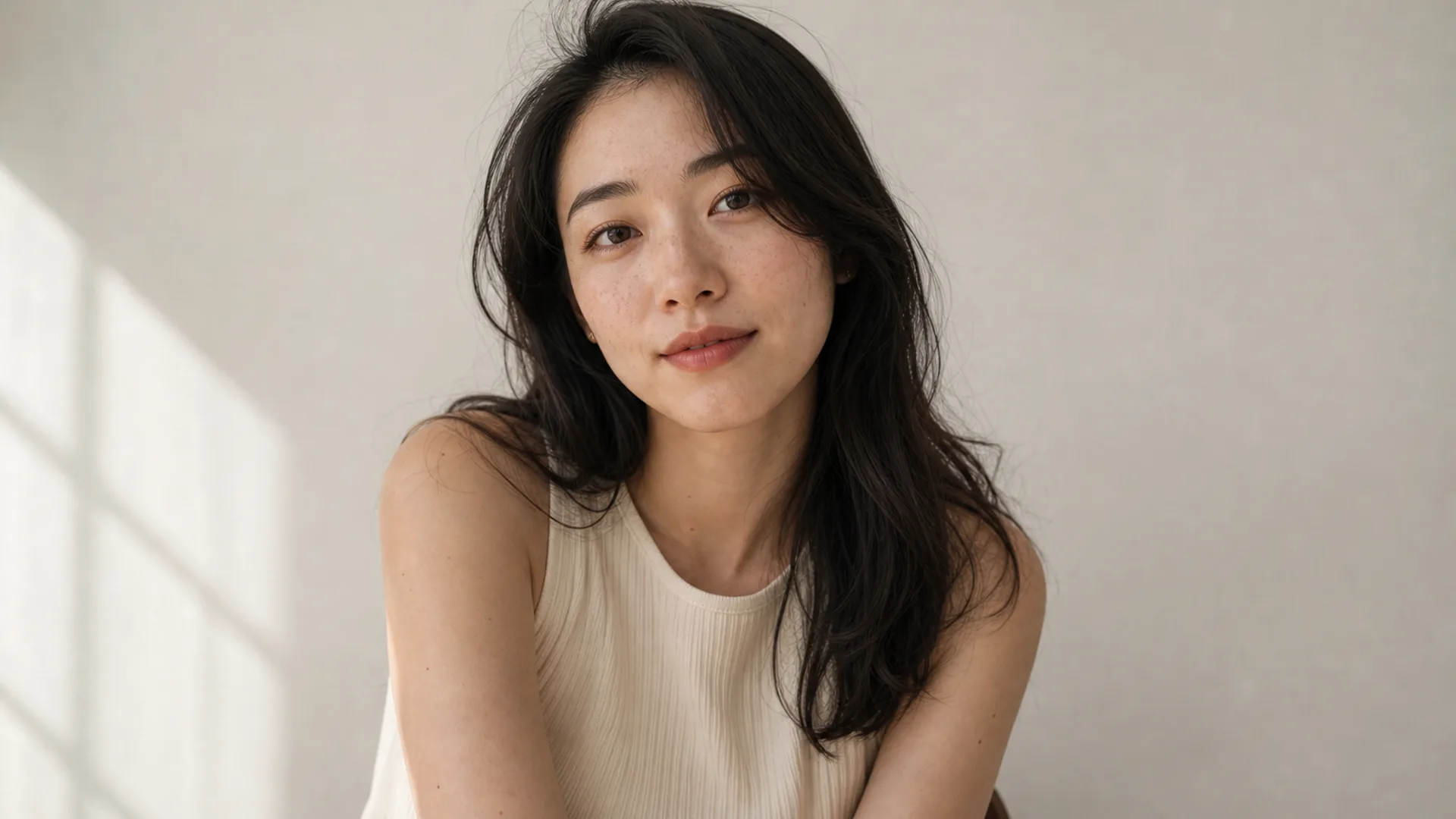
GPT Image 2提示词可以从一份能检查的画面说明开始:主体是什么、如何构图、光从哪里来、哪些细节重要。改图时,再说明参考图提供什么、这一轮要改变什么。下面8个示例是可改写的原创输入,不是效果实测结论。
先写清画面简报
按用途、主体与动作、场景、构图、光线和材质组织描述。要求冲突时明确优先级。使用自己能准确表达的语言,英文术语不是效果更好的保证;镜头和分辨率词汇也不代表真实器材或下载文件尺寸。
例如:制作一张产品配图,瓶身完整呈现在左侧,右侧留出标题空间,使用柔和窗光和简单浅色背景。
把新图与改图分开描述
新图需要交代整体画面;改图需要参考图片、保留项和具体修改目标。使用有权使用的素材。人物身份、文字和产品细节仍可能变化,每轮都要对照检查。需要独立编辑入口可打开AI图片编辑器。
明确文字与构图的关系
写出准确文字、位置和字体方向。探索布局时可先用短标题,再逐字校对;长文案或必须精确的排版可在设计工具中完成。多张参考图片应分别说明用于主体、布局还是风格。
示例 1. 自然光人像
适合:品牌主页与社媒形象,需要稳住雀斑、裁切与光位。
提示词: Half-body portrait of a adult woman with natural freckles and visible pores, soft daylight from a large window on the left, gentle shadow under the jaw, off-white wall, face slightly right of center, 85mm lens, f/2.0 shallow depth of field, both ears visible, no beauty blur, no plastic skin, no heavy makeup
改写提示:第一句只改年龄感与发型;光线与 “no plastic skin” 整块先保持一轮不动。
示例 2. 带短标签文字的产品主图
适合:需要可读产品名的电商包装与广告图。
提示词: Minimal product still life of a matte white skincare bottle labeled “AURA CARE” in clean black sans-serif, centered on beige seamless backdrop, softbox key from upper left, gentle bounce fill, crisp label typography, generous negative space on the right for headline text, commercial photography, no harsh reflections, no extra props
改写提示:先只改引号内标签与瓶身颜色;文字稳定前不要重做光位。
示例 3. 参考图换背景简报
适合:活动视觉改版,使用已有肖像作为参考。
提示词: Keep the same woman and facial identity, replace the busy cafe background with a clean light-gray seamless studio backdrop, preserve hair strands and natural skin texture, even soft studio light, head-and-shoulders crop safe for circular avatar, no beauty filter, no face reshape
改写提示:走编辑流程时,删掉场景叙事词;只写「改什么」和「必须保留什么」。
示例 4. 可控品牌色的时尚编辑肖像
适合:主视觉需要特定强调色,又不能把脸洗糊。
提示词: Editorial fashion portrait of a woman in a tailored black blazer, cinematic rim light from behind, cool teal fill from the front matching brand accent, sharp catchlights, subtle film grain, medium close-up on 50mm, realistic wool fabric texture, natural skin detail under colored light, no oversaturated glow
改写提示:把 “teal” 换成品牌色的英文描述(如 deep emerald fill);脸易被彩光洗掉时,保留 keep natural skin detail under colored light。
示例 5. 点名材质的室内生活场景
适合:家居与生活方式广告,需要「像拍出来」而不是 HDR。
提示词: Woman reading by a large window in a quiet apartment, soft morning side light, linen curtains, light oak table, shallow depth of field, calm lifestyle photography, natural color grading, 35mm documentary feel, realistic interior materials, no HDR look, no staged smile
改写提示:点名两种可核对的材质;空洞的 “cozy aesthetic” 远不如 “linen” + “oak” 有效。
示例 6. 职业头像裁切
适合:团队页、简历、LinkedIn 风格头像。
提示词: Professional head-and-shoulders portrait of a woman, clean light-gray seamless background, even soft studio light, confident calm expression, centered face with safe crop for circular avatar, natural skin texture, business-casual knit top, no heavy retouching, no harsh shadows
改写提示:这里打草案,裁切与背景控制收尾到 AI 头像生成器。
示例 7. 只含一条标题的海报构图
适合:活动或发布视觉,需要单行可读标题。
提示词: Vertical poster composition of a confident woman in a city golden-hour street, warm backlight, shallow depth of field, large clear headline text “OPEN STUDIO” in bold condensed sans-serif in the upper third, high contrast but readable type, photographic look, space under the text kept clean, no extra slogans, no watermark
改写提示:只要一条标题;字母坏掉时,先用同一拼写重跑,再改服装或地点。
示例 8. 彩色光线下的霓虹夜景人像
适合:音乐封面与夜生活视觉,但仍要像摄影。
提示词: Night portrait of a woman under cyan and magenta neon signs, wet street reflections, shallow depth of field, cinematic contrast, rain-damp hair strands, realistic skin under colored light, 50mm lens, moody urban atmosphere, no oversaturated glow, no melted facial features
改写提示:霓虹色改成品牌双色;每轮都保留 “realistic skin under colored light”。
检查结果,再决定修改什么
检查五官、肢体、产品结构、文字和裁切。选一个最影响用途的问题继续修改,并记录变化。示例中的“保留”“不要”等语句是目标描述,不是身份或质量保证;头像工具也不能代替判断图片是否适合实际用途。
换背景时上传原图,完成后核对面部特征和产品轮廓;文字错误时检查拼写并减少无关文字;裁切不合适时调整构图和当前支持的画幅设置。
常见问题
必须用英文吗?
不必。使用能清楚表达需求的语言,图内文字需写出准确内容。
能保证每张都是同一个人吗?
不能。参考图可以表达身份要求,输出仍需检查。
可以直接粘贴Midjourney参数吗?
不要把专属命令当通用设置,使用当前界面提供的选项。
示例是实测对比吗?
它们是输入示例,不是受控性能测试,也不能证明型号排名。
GPT Image 2与2.5怎么选?
按自己的任务查看可用选项与实际结果,相关版本介绍见GPT Image 2.5模型页。
继续创作
打开GPT Image 2模型页或AI图片生成器,确认当前型号、设置和预计积分,再改写一个示例。筛选与交付流程见AI绘画工作流。